Connecting to the class server
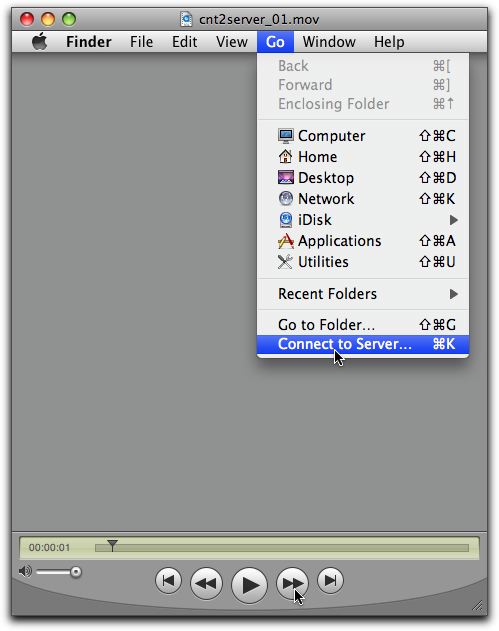
Watch this video to learn how to connect to the class server from your Apple computer.
Watch this video to learn how to connect to the class server from your Apple computer.
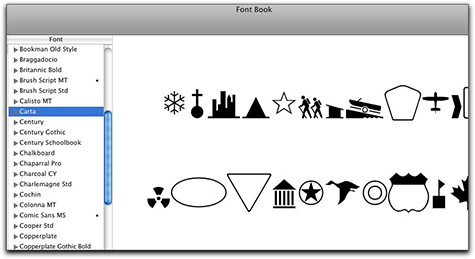
Are you familiar with the Font book application in the Mac OS? Go to your Applications folder > look for the Font Book application> and launch it.
The second column from the left is a list of all installed fonts on your computer. Scroll the mouse over to the font column and select one. You can see the full layout of the typeface. As you scroll down the list of fonts you will dixcover that some fonts are mostly symbols. As you work on your website and digital glossary, you might want to spend time scanning through the many font options that are on the computer. We have many more fonts on the server. I sent you a link to a tutorial showing how to log on to the class server and how to add fonts to your computer workstation. Check your email.
Your classmate Dean found this free FTP program. Say it with me – IT IS FREE – But it installs only on Firefox. Copy and paste this link using FIREFOX not Safari
https://addons.mozilla.org/en-US/firefox/addon/684
Then hit the INSTALL button It will install it in your FireFox brower. I will add a shot tutorial to configure it soon. That way it may be easier to add files to your web space.
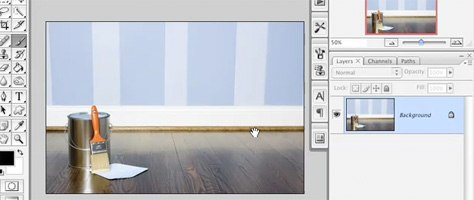
If you use Adobe Photoshop, you might find this on line video tutorial of interest. Follow this link to a video by Matt Kloskowski. The series is part of the on line videos by Peachpit Press. The link that takes you to the video is at the bottom and is called Layer Masking 101 Tutorial.
Copyright © 2004–2009. All rights reserved.
RSS Feed. This blog is proudly powered by Wordpress and uses Modern Clix, a theme by Rodrigo Galindez.